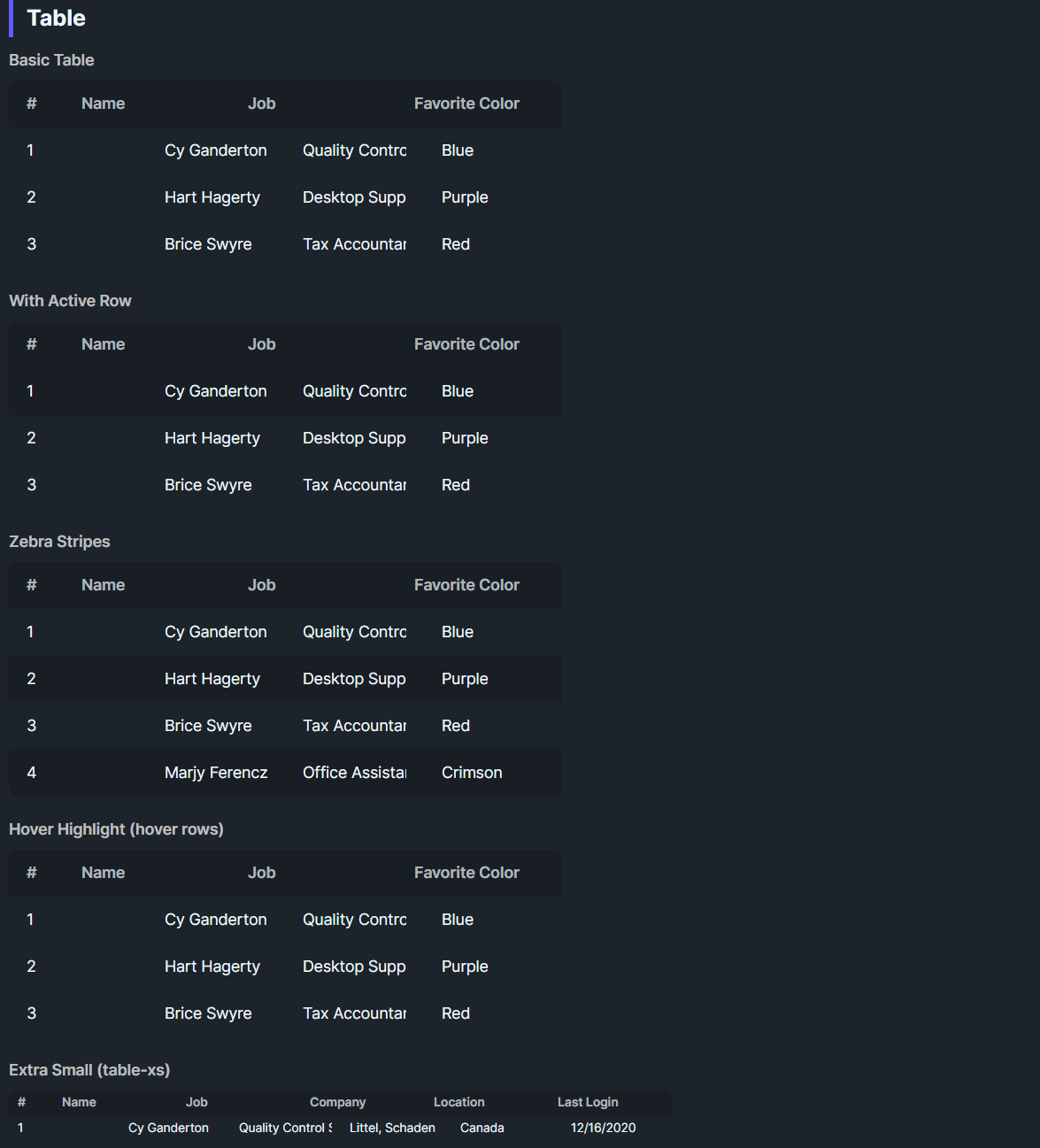
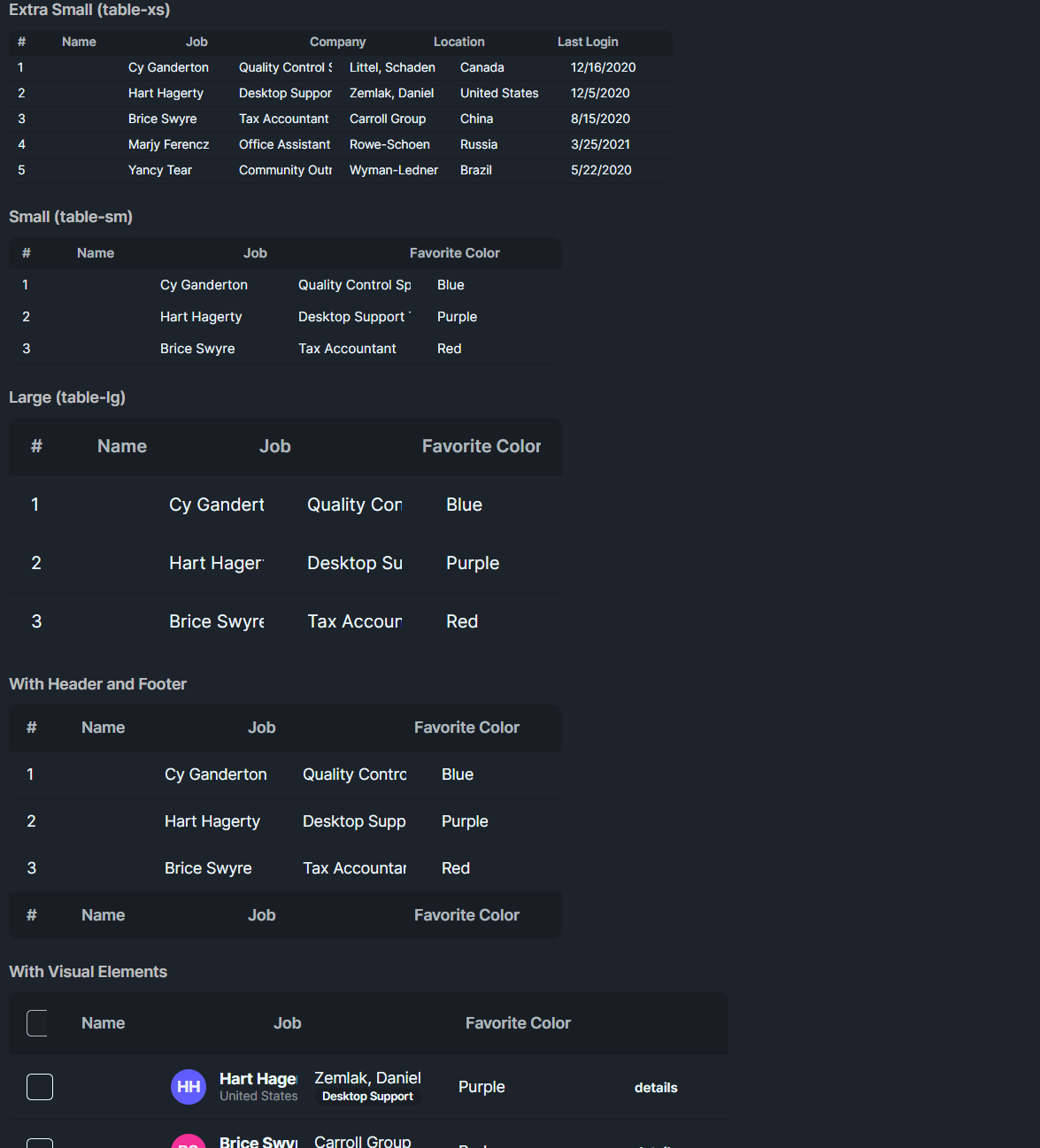

DaisyTable is a ContentControl that arranges DaisyTableRow controls in a vertical stack. Each row arranges its cells in a grid. The table supports alternate row backgrounds, active and hover states, size presets, and pinned rows or columns.
DaisyTable.Content: a panel that contains the rows.DaisyTableRow.Content: a panel that contains the cells.DaisyTableCell.Content: text or another control.The table and row controls collect their initial panel content when they load. DaisyTableRow.IsHeader identifies a header or footer row.
| Property | Description |
|---|---|
Size |
ExtraSmall, Small, Medium (default), Large, or ExtraLarge. Adjusts row padding and font size. |
Zebra (bool) |
Applies alternate backgrounds to inactive rows. The first row has index zero. |
PinRows (bool) |
Keeps header and footer rows visible in the ancestor ScrollViewer. |
PinCols (bool) |
Keeps the first cell of each row visible during horizontal scroll. |
| Element | Property | Description |
|---|---|---|
DaisyTableRow |
IsActive |
Highlights the row as selected/active. |
DaisyTableRow |
HighlightOnHover |
Enables hover highlighting. |
DaisyTableRow |
IsHeader |
Applies header styling. A final header row acts as the footer for row pinning. |
DaisyTableRow |
Size |
Selects row padding and font size. The table applies its size to its rows. |
DaisyTableCell |
ColumnWidth (double?) |
Sets the width of this cell's column in device-independent pixels. Null uses one star unit. |
Each row has its own column definitions. Matching ColumnWidth values keep columns aligned across rows.
ColumnWidth does not accept GridLength, Auto, or values such as 2*.
<ScrollViewer MaxHeight="320"
              HorizontalScrollMode="Enabled"
              HorizontalScrollBarVisibility="Auto"
              VerticalScrollMode="Enabled"
              VerticalScrollBarVisibility="Auto">
    <controls:DaisyTable Width="720" Size="Small" Zebra="True"
                         PinRows="True" PinCols="True">
        <StackPanel>
            <controls:DaisyTableRow IsHeader="True">
                <StackPanel>
                    <controls:DaisyTableCell x:Name="NameHeader" Content="Name" ColumnWidth="180" />
                    <controls:DaisyTableCell Content="Role" />
                    <controls:DaisyTableCell Content="Actions" ColumnWidth="120" />
                </StackPanel>
            </controls:DaisyTableRow>
            <controls:DaisyTableRow HighlightOnHover="True">
                <StackPanel>
                    <controls:DaisyTableCell x:Name="AliceName" Content="Alice" ColumnWidth="180" />
                    <controls:DaisyTableCell Content="Engineer" />
                    <controls:DaisyTableCell ColumnWidth="120">
                        <controls:DaisyButton Variant="Ghost" Size="Small" Content="Edit" />
                    </controls:DaisyTableCell>
                </StackPanel>
            </controls:DaisyTableRow>
            <controls:DaisyTableRow HighlightOnHover="True" IsActive="True">
                <StackPanel>
                    <controls:DaisyTableCell x:Name="BobName" Content="Bob" ColumnWidth="180" />
                    <controls:DaisyTableCell Content="Designer" />
                    <controls:DaisyTableCell ColumnWidth="120">
                        <controls:DaisyButton Variant="Ghost" Size="Small" Content="Edit" />
                    </controls:DaisyTableCell>
                </StackPanel>
            </controls:DaisyTableRow>
        </StackPanel>
    </controls:DaisyTable>
</ScrollViewer>Pinning uses the nearest ancestor ScrollViewer. The table itself does not create a scroll viewport.
PinRows keeps rows with IsHeader="True" at the top. A final header row stays at the bottom as a footer.
PinCols keeps the first DaisyTableCell visible during horizontal scroll.
The control updates positions as the viewport scrolls and restores the original positions after pinning is disabled.
1. Put the table inside a ScrollViewer.
2. Constrain the viewport height for vertical scroll.
3. Set a table width larger than the viewport for horizontal scroll.
4. Enable PinRows, PinCols, or both.
After the row loads, changes to ColumnWidth update its existing grid column. Null restores one star unit.
Changes affect that row only.
foreach (var cell in new[] { NameHeader, AliceName, BobName })
{
    cell.ColumnWidth = 220;
}

// Restore one star unit for the Name column in each row.
foreach (var cell in new[] { NameHeader, AliceName, BobName })
{
    cell.ColumnWidth = null;
}