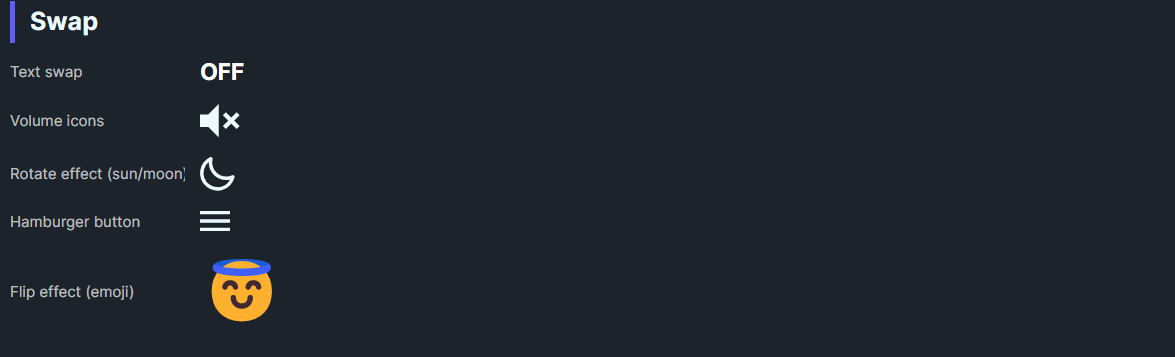
DaisySwap is a toggle that swaps between OnContent, OffContent, and optional IndeterminateContent. It supports transition effects (none, rotate, flip) to animate the content change. Use it for icon toggles, play/pause, theme switches, or stateful actions.
| Property | Description |
|---|---|
OnContent |
Content shown when IsChecked=True. |
OffContent |
Content shown when IsChecked=False. |
IndeterminateContent |
Content for indeterminate state when IsChecked=null. |
TransitionEffect |
None, Rotate, or Flip animation between states. |
<!-- Simple icon swap -->
<controls:DaisySwap TransitionEffect="Rotate" IsChecked="True">
    <controls:DaisySwap.OnContent>
        <PathIcon Data="{StaticResource DaisyIconSun}" />
    </controls:DaisySwap.OnContent>
    <controls:DaisySwap.OffContent>
        <PathIcon Data="{StaticResource DaisyIconMoon}" />
    </controls:DaisySwap.OffContent>
</controls:DaisySwap>

<!-- Text swap with indeterminate -->
<controls:DaisySwap TransitionEffect="Flip" IsThreeState="True" IsChecked="{Binding IsMaybe}">
    <controls:DaisySwap.OnContent>
        <TextBlock Text="On" />
    </controls:DaisySwap.OnContent>
    <controls:DaisySwap.OffContent>
        <TextBlock Text="Off" />
    </controls:DaisySwap.OffContent>
    <controls:DaisySwap.IndeterminateContent>
        <TextBlock Text="?" />
    </controls:DaisySwap.IndeterminateContent>
</controls:DaisySwap>IsThreeState="True" to enable the indeterminate content path.Rotate/Flip for playful state changes; None for instant swaps.IsChecked for state management; the control inherits ToggleButton behavior.